


When I began my career as a tech journalist in the early 2010s, Chromebooks were just starting to hit the market. It was a very different time. Microsoft’s Windows was the dominant operating system for PCs, macOS was popular but nowhere near as mainstream as it is today, and the iPad was widely seen as little more than a bigger iPhone. Google, meanwhile, was quietly positioning Chromebooks as affordable computers for schools, with prices that undercut Windows laptops and Macs. While these inexpensive notebooks became popular among students and first-time buyers, their success was relatively short-lived.
Over time, their popularity gradually declined, and they slowly faded from the mainstream market. The pandemic, however, sparked a resurgence in Chromebook demand as schools and workplaces shifted online. India, however, never really emerged as a major market for Google’s affordable ChromeOS-powered notebooks.

It makes me wonder why. I feel the time is finally right for Chromebooks to take off in India, especially as rising memory and component costs have made laptops increasingly expensive, turning them into a luxury for many consumers. If the price is right, a Chromebook can be a great first computer for anyone whose needs are primarily browser-based, whether it’s checking email, online banking, attending classes, or streaming video.
Which brings me to the Asus Chromebook CM32, a new ChromeOS device that has just launched in India with a starting price of Rs 37,990. This mid-range Chromebook offers the functionality of a traditional laptop while also supporting Android apps, giving users the flexibility of both ecosystems in a 2-in-1 form factor. I spent two weeks using the new Chromebook. Here’s my review.
What: Asus Chromebook CM32| Price: Starts at Rs 37,990 (the review unit featured 8GB RAM and 128GB storage and retails for Rs 48,999).
Clean and comfy design
Over the years, I have mostly reviewed Chromebooks that were designed like regular Windows laptops, from their form factor to their portability. In fact, I used many Chromebooks that had rounded corners and thick bezels. However, one look at the Asus Chromebook CM32 is enough to tell you it’s different. That’s because this Chromebook is an ultraportable 2-in-1 device with a detachable keyboard, allowing you to switch effortlessly between tablet and laptop modes.
Sitting somewhere between a laptop and a tablet, the Asus Chromebook CM32 is both, but to me, it feels more like a tablet that can function as a laptop. It’s fairly light, features a premium metallic design, and is, overall, a compact machine that your kid can easily toss into a bag and use just about anywhere without much fuss.
Story continues below this ad
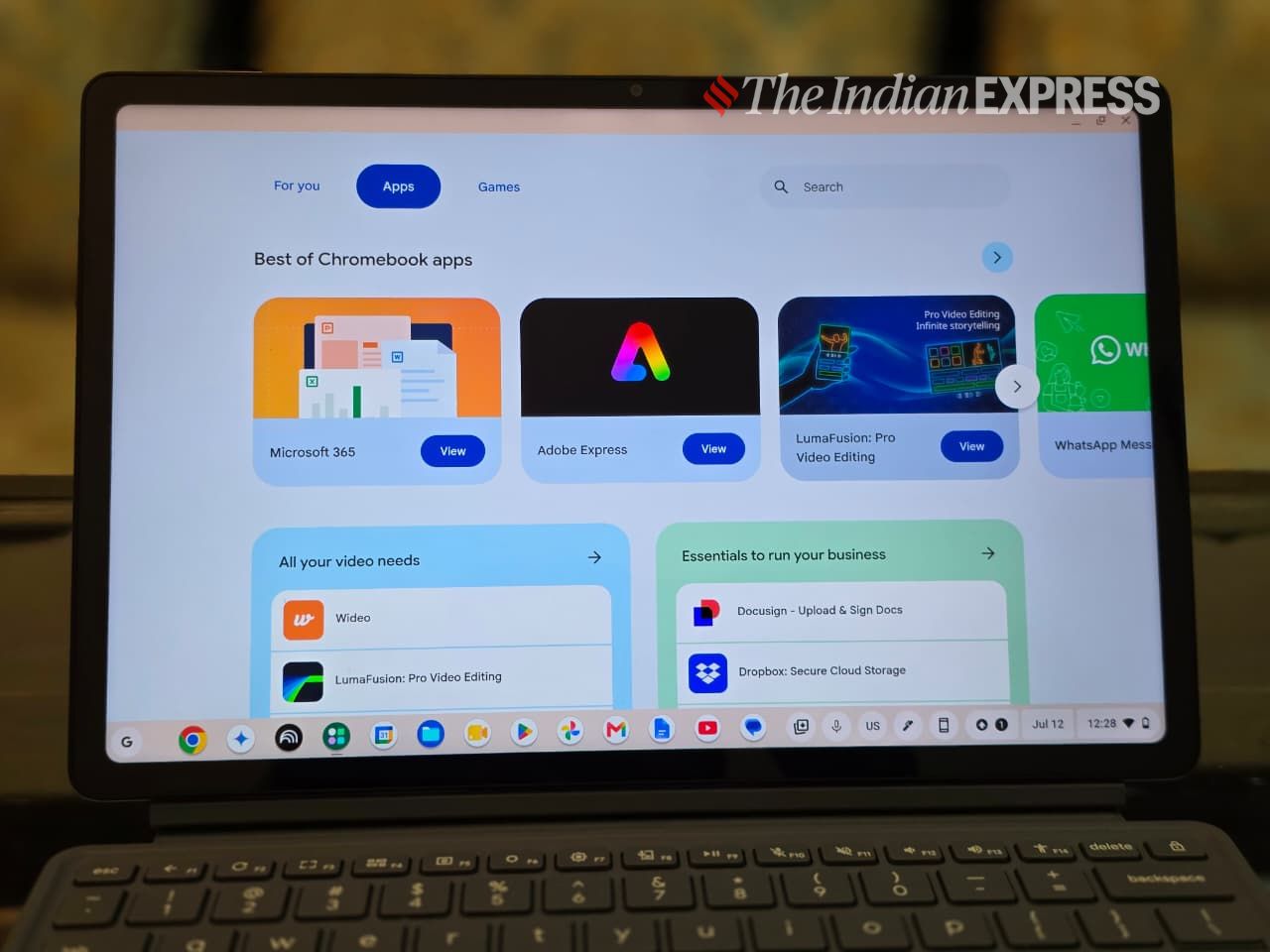

The Chromebook CM32 has an iPad-like feel, with a 12.1-inch 16:10 touchscreen display. The screen resolution – 2,560 x 1,600 pixels – delivers a crisp and bright picture, while the high-resolution touchscreen reaches an impressive 600 nits of brightness. Right above the screen is a solid 5MP webcam that will serve you well for video calls, selfies, and document scanning when needed. Another 5MP camera is located on the rear of the device.
The side-firing speakers are good enough for watching YouTube videos and streaming ongoing FIFA matches on Zee5. They aren’t as loud as the speakers you might find on an iPad, but they sound noticeably better than those on an average entry-level Windows laptop.
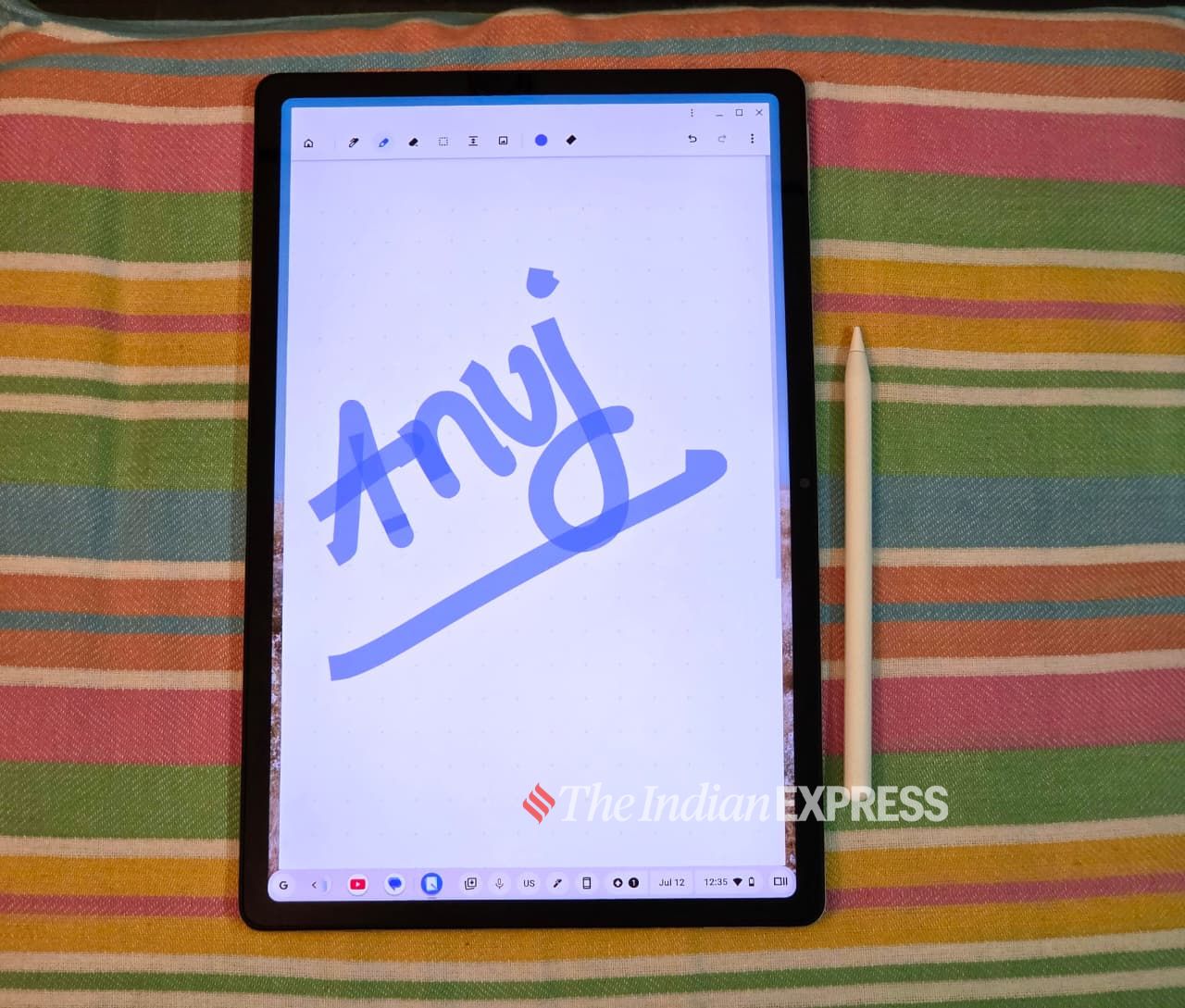
Furthermore, the display supports a 120Hz refresh rate, and the included stylus feels incredibly fluid to use. The panel is protected by Corning Gorilla Glass 3 with an anti-fingerprint coating, which offers four times the scratch resistance of standard glass.
There’s a headphone jack as well as a single USB-C port for charging. However, the Chromebook lacks a fingerprint sensor, which is typically embedded in the power button on many tablets and allows for quick unlocking, similar to an Android phone.
Story continues below this ad
Arguably, wireless connectivity is more important, and here the Chromebook CM32 is effectively future-proof. Not only does it include Wi-Fi 7 as standard, but it also supports Bluetooth 5.4.
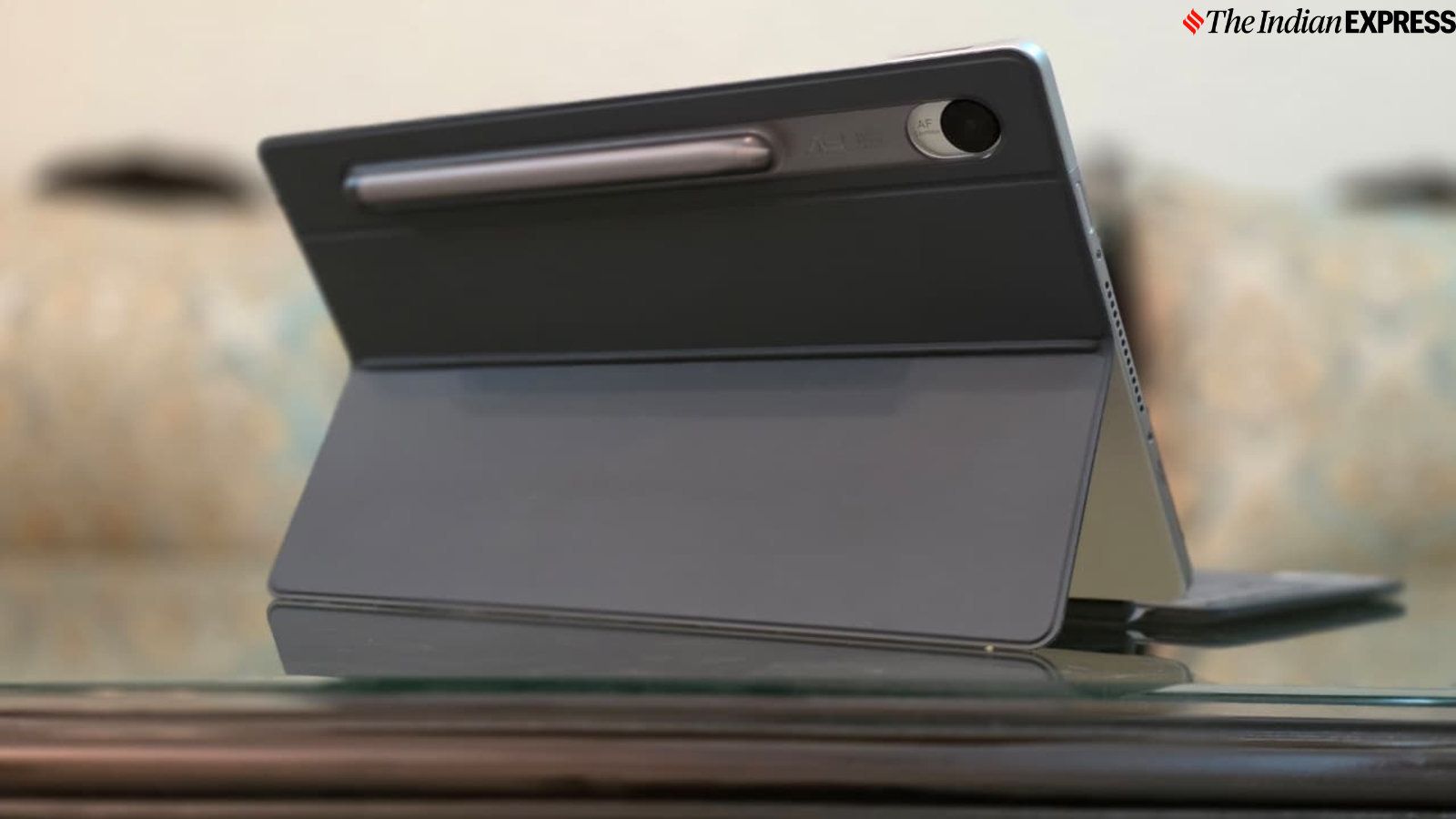
The package also includes a keyboard cover that doubles as a protective case. You could say the device’s form factor is very similar to a Surface Pro-like design, albeit with less power and a much more affordable price tag. While Microsoft’s Surface Pro uses a signature built-in kickstand with a variable-angle hinge, allowing the 2-in-1 to rest at almost any angle, Asus’ Chromebook CM32 relies on an iPad-like keyboard cover that offers a couple of viewing angles.
The keyboard cover magnetically attaches to the tablet and, when angled, gives the device the appearance of having a real keyboard. It’s good to look at, and the viewing angles are pretty good, but trying to adjust it for use anywhere other than a desk may leave you disappointed.
During my time with the Chromebook CM32, I found that the removable stand cover cannot be bent completely flat. When you try to lay it down flat, the entire cover tends to flop around as you type, making it difficult to use the keyboard in that position. This is a major design flaw if you want to use the Chromebook on your lap, for example, and work on it, which is something I do quite often. Otherwise, the overall build quality is excellent, with a firm keyboard deck with virtually no flex and a sturdy hinge that almost requires too much force to adjust.
Story continues below this ad
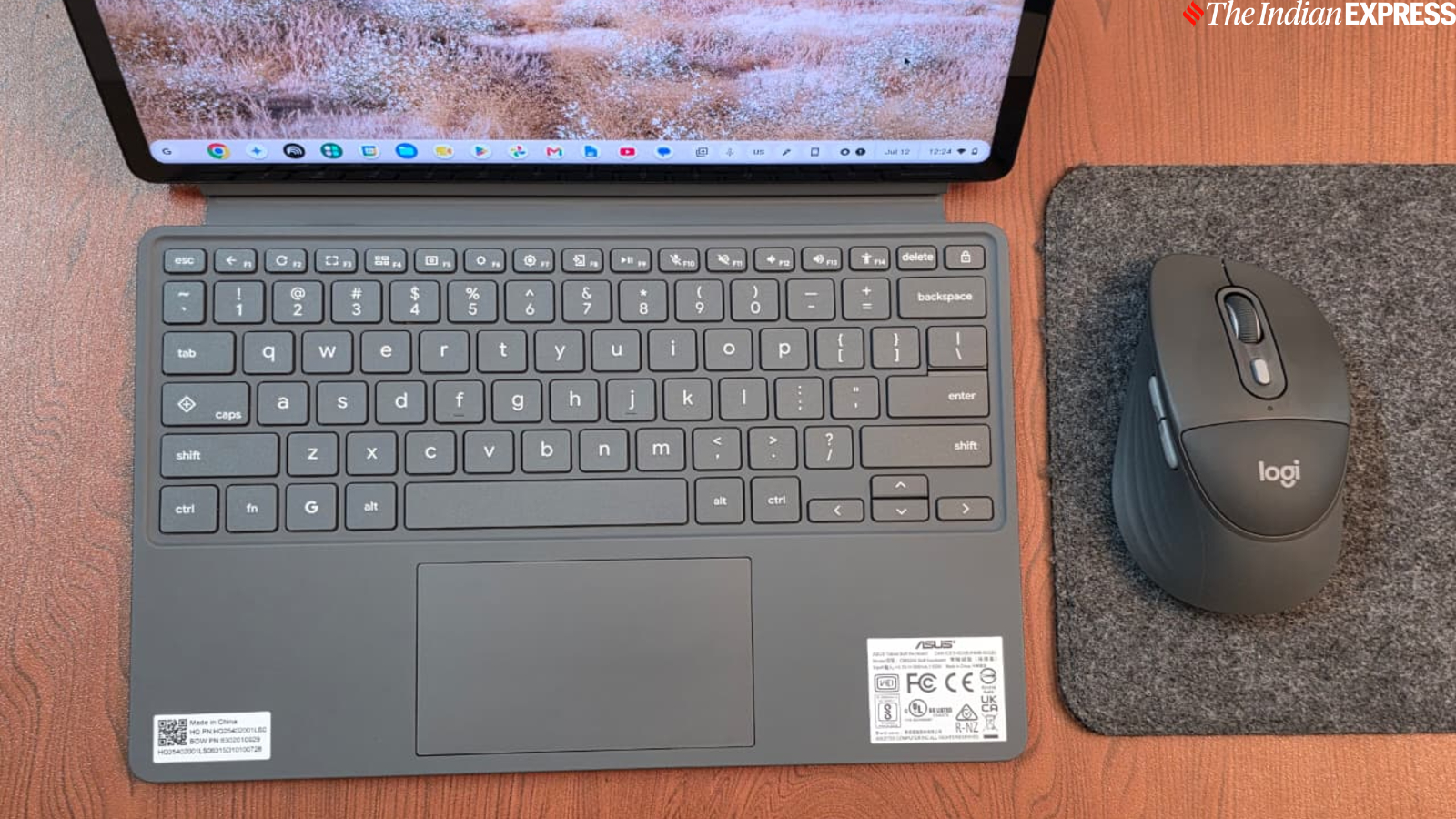
The main draw of the removable stand cover is, well, the keyboard. The keys are fantastic, similar to the plastic chiclet-style keys found on the company’s laptops and desktop keyboards, so they will feel instantly familiar to users. It’s a joy to type on, and if you are a writer like myself or a student who regularly writes assignments, you will appreciate this keyboard. While it lacks backlighting, the keyboard’s key travel is excellent, and my typing accuracy only improved over time.
The layout is similar to most Chromebooks, and there is little to complain about. It features both a Google key to open the launcher and a Quick Insert key. The latter is my favourite key, which brings up a menu that gives users quick access to Google Drive, My Files, recent links to websites, and a selection of emojis, without necessarily being able to insert anything anywhere. Caps Lock isn’t lost, though; it’s just a Fn + Quick Insert hotkey combination away. Meanwhile, the trackpad is excellent, though it is a bit shorter than I would prefer.

Passable performance
Performance from the MediaTek Kompanio 540 processor, paired with up to 8GB of LPDDR5X RAM and 128GB of storage, is impressive for such a low-cost device aimed at students and casual users.
Kindly note that this is the high-end model Asus lent me for review, priced at Rs 48,999. I would hesitate to recommend the base model with 4GB of RAM and 64GB of eMMC storage, which is priced at Rs 37,990. Given its limited storage space and the likely impact on performance, I recommend spending a little extra on the 8GB model.
Story continues below this ad
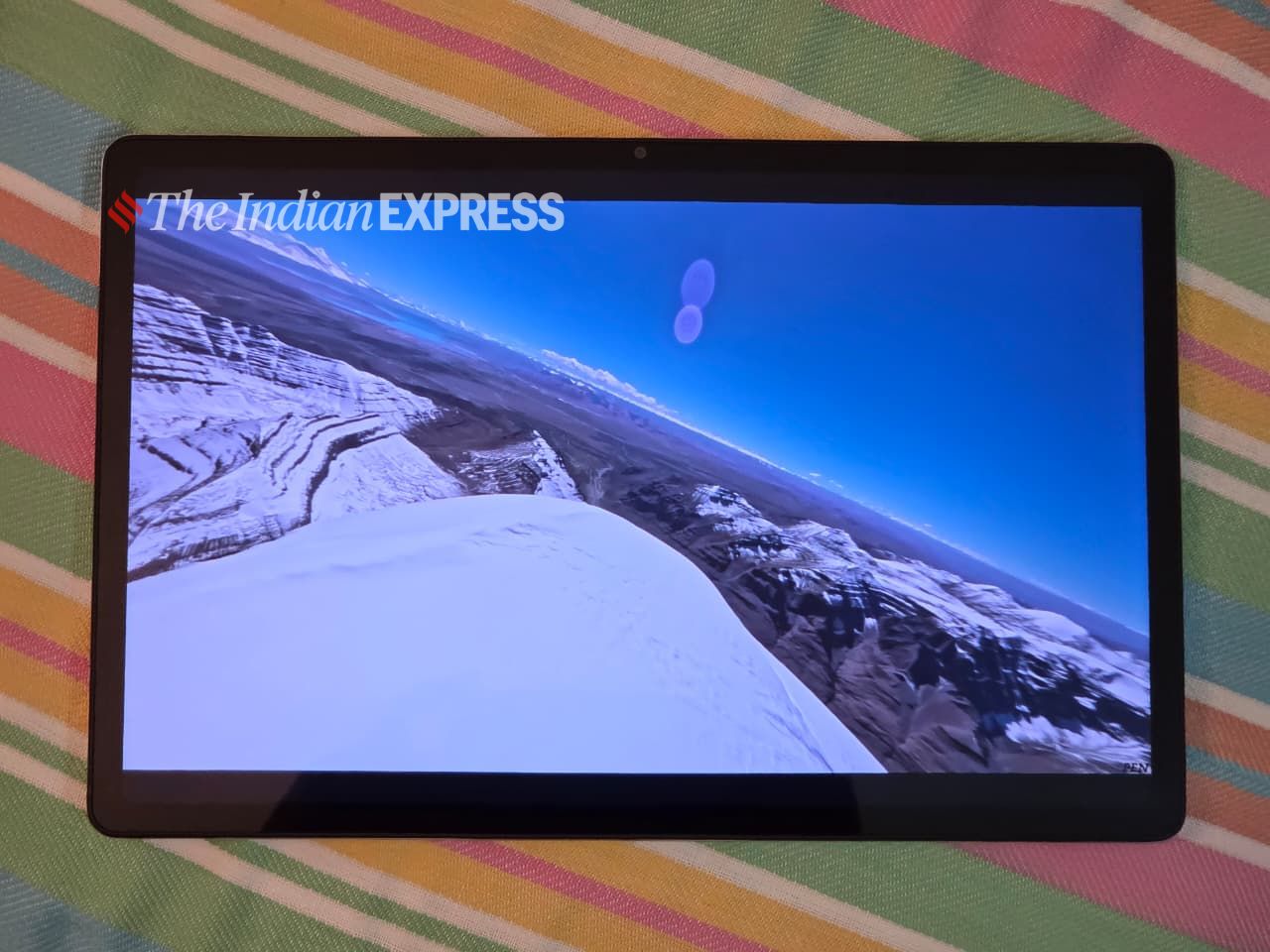
In general, ChromeOS feels very snappy, and I didn’t experience any slowdowns unless I deliberately tried to push its limits by opening dozens of Chrome tabs. I used the Chromebook CM32 like any other notebook. I checked Gmail and Google Calendar, used WhatsApp Web, streamed music, worked in Google Drive and Google Docs, created text documents, joined Zoom and Google Meet calls, and streamed videos from Netflix and YouTube.
Using Chromebooks for over fifteen days has also made it clear to me that many people buy machines far more powerful than they actually need. For the vast majority of users, or for those who are using a computer for the first time and simply looking for a device to manage their day-to-day tasks, the Chromebook CM32 will be perfectly suitable.
I think Chromebooks have always had this going for them: they may not be as powerful as Windows notebooks or MacBooks, but ChromeOS is the secret sauce. It’s an operating system that uses the Chrome web browser as its primary interface. The idea is to offer deep integration with Google’s suite of apps, including Gmail, Google Photos, and Chrome, as well as AI-powered features. A Chromebook can do almost everything a regular laptop can, as long as you primarily use a web browser and Android apps. For me, ChromeOS works well for basic web browsing-level tasks. However, Chromebooks can’t run Mac or Windows programs, including Windows-specific games.
Use it as a tablet
The advantage of the Chromebook CM32 is its compact, lightweight design, making it easy to use on the go. After all, this is a tablet, which makes it easier to carry on a plane, to a coffee shop, or to class.
Story continues below this ad

As I mentioned earlier, most applications run as tabs within the browser, and files are synced to Google Drive when you sign in. However, ChromeOS is flexible enough to support offline versions of popular apps, such as Netflix and Spotify, which can be downloaded from the Google Play Store. Yes, it’s the same Play Store that you find on your Android phone.
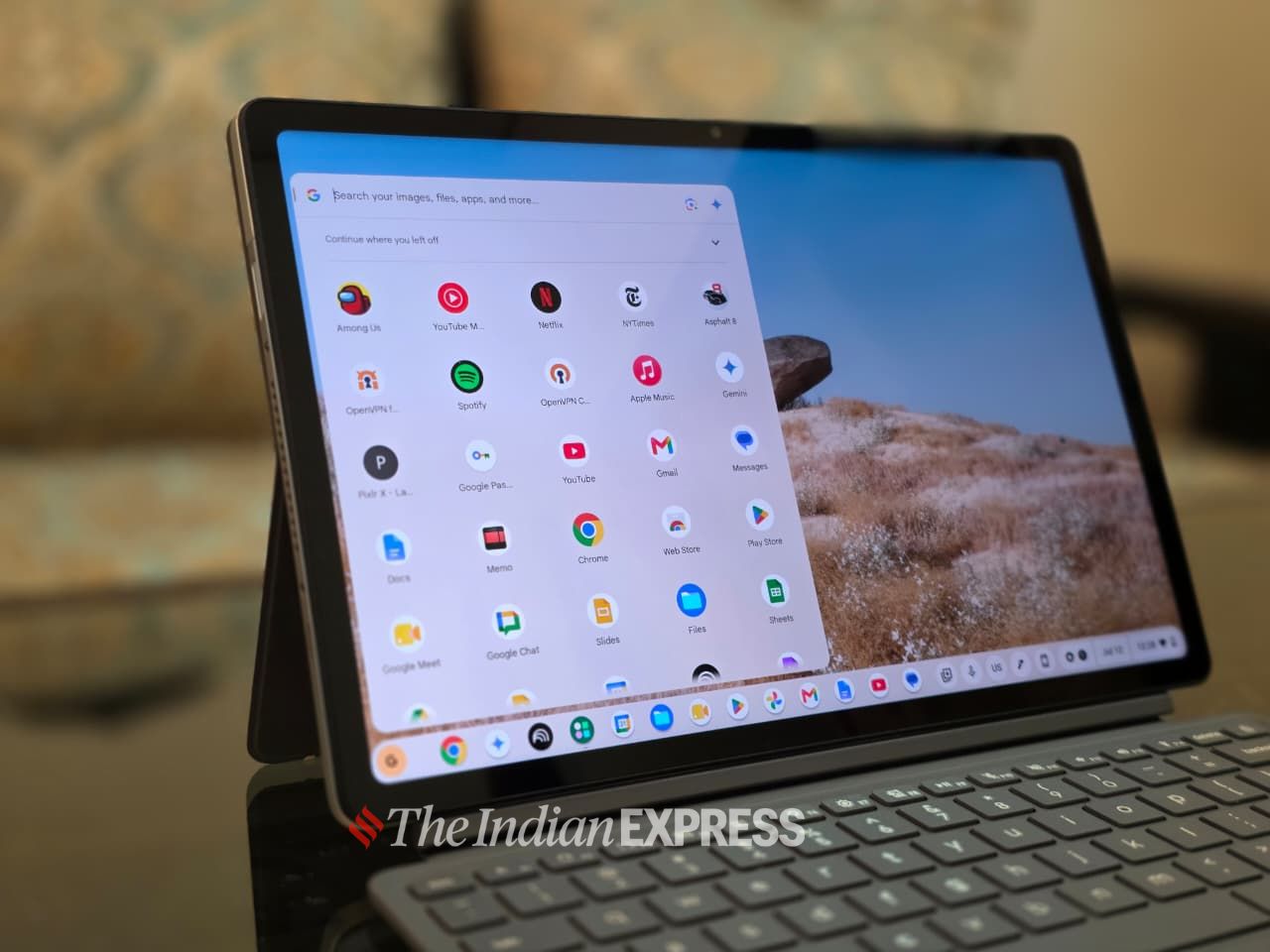
In tablet mode, you get a desktop-like layout similar to Windows, with system settings in the bottom-right corner, frequently used apps at the bottom, and an app drawer that can span multiple screens depending on how many apps are installed. That being said, I found that the Chromebook CM32, as a tablet, is not yet on par with an iPad but works well as a casual tablet. Apps can be opened in full-screen mode, but many apps are still optimised for mobile devices. The New York Times app, for example, is one such example.
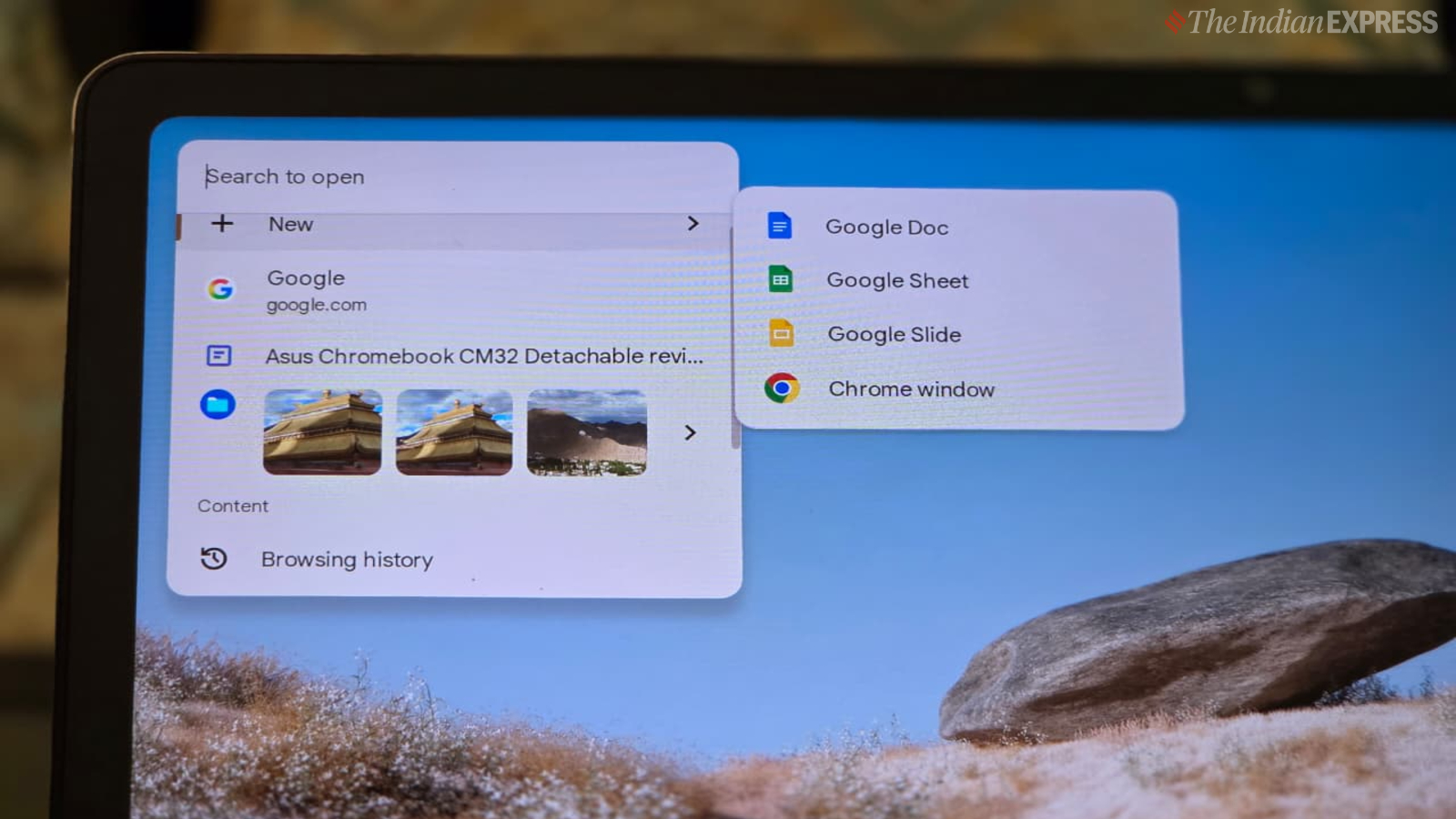
Being a Chromebook, the CM32 works best with an internet connection, though many apps, including Gmail and Google Drive, offer offline functionality. The 128GB of local storage is reasonable, with documents stored in the Downloads folder and accessed through the Files app.
Another thing that sets ChromeOS apart from Android is its approach to updates. ChromeOS handles updates automatically, installing them in the background and applying them when you restart the device. This means OS and security updates come directly from Google rather than from individual hardware vendors, which are often slow to deliver updates.
Story continues below this ad
My review unit lasted 8 hours in my battery life test, which is just enough to get through a full day of work or classes.
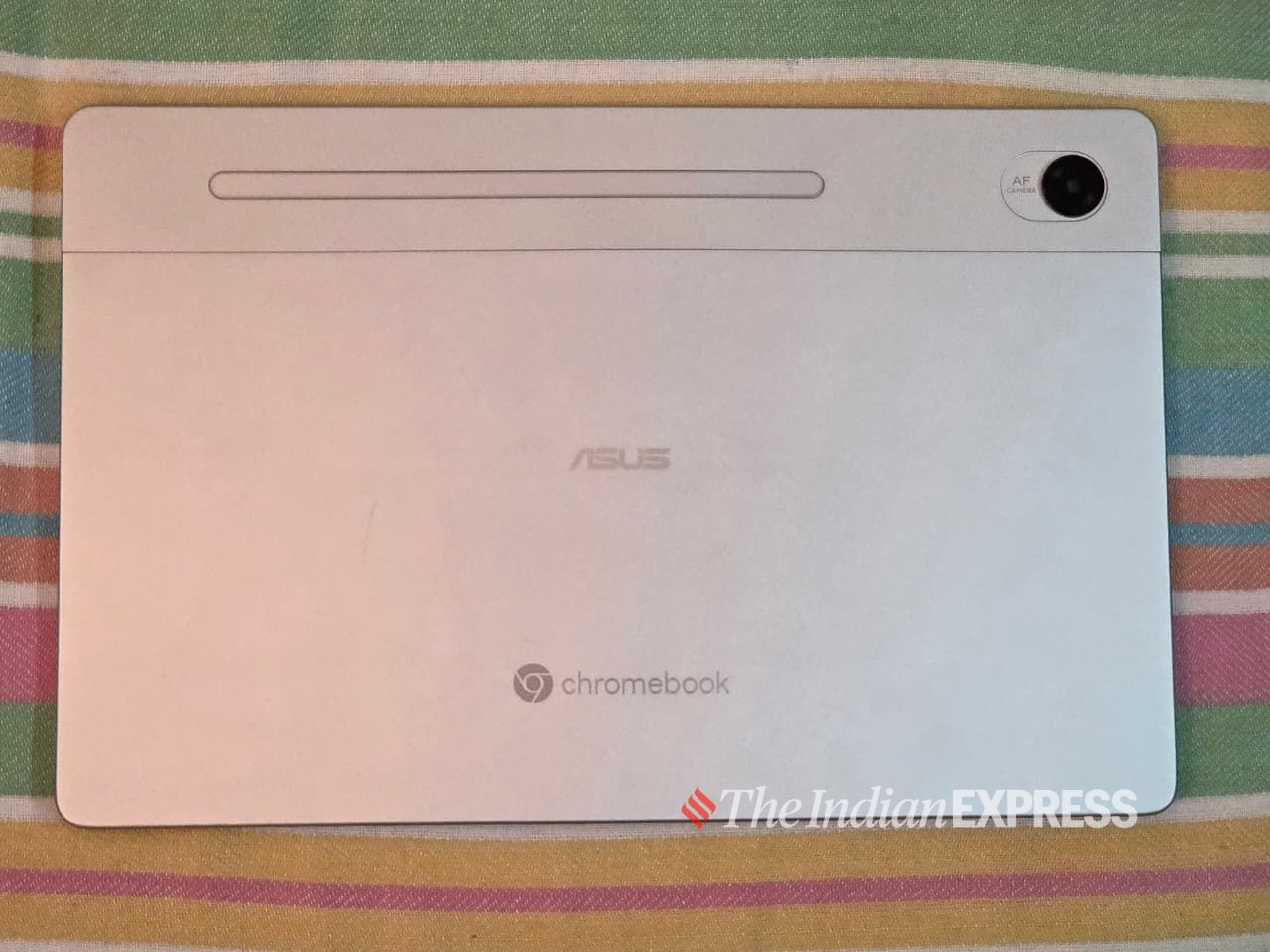
The Chromebook CM32 also includes a built-in digital stylus, which is housed in a garage at the top corner of the tablet. The pen supports Google’s Universal Stylus Initiative, making it an excellent tool for taking notes- something that is often missing on regular Chromebooks. The stylus also includes a rechargeable built-in battery.
Google’s Gemini assistant is supported on the Chromebook CM32, and you can tinker with all of its AI features. An Android phone can be connected so that the Chromebook can send text messages, share an internet connection, or unlock your device. I tested this feature with my Google Pixel 10 Pro Fold.
In sum
When it comes to computers, most people put their money toward better specs and a more capable machine. But there’s something inherently different about the Chromebook. Sure, different people have different computing priorities, but the Asus Chromebook CM32 is a compelling entry-level computer designed for students and first-time buyers. It feels tailor-made for people who want a basic computer but are either not in a position to pay premium prices for Windows and Mac products or simply not interested in doing so.